

 Making Data-driven Decisions

Power BI Desktop The First Step toward
Company-wide BI Possibilities and Limitations of the Free Version
Company-wide
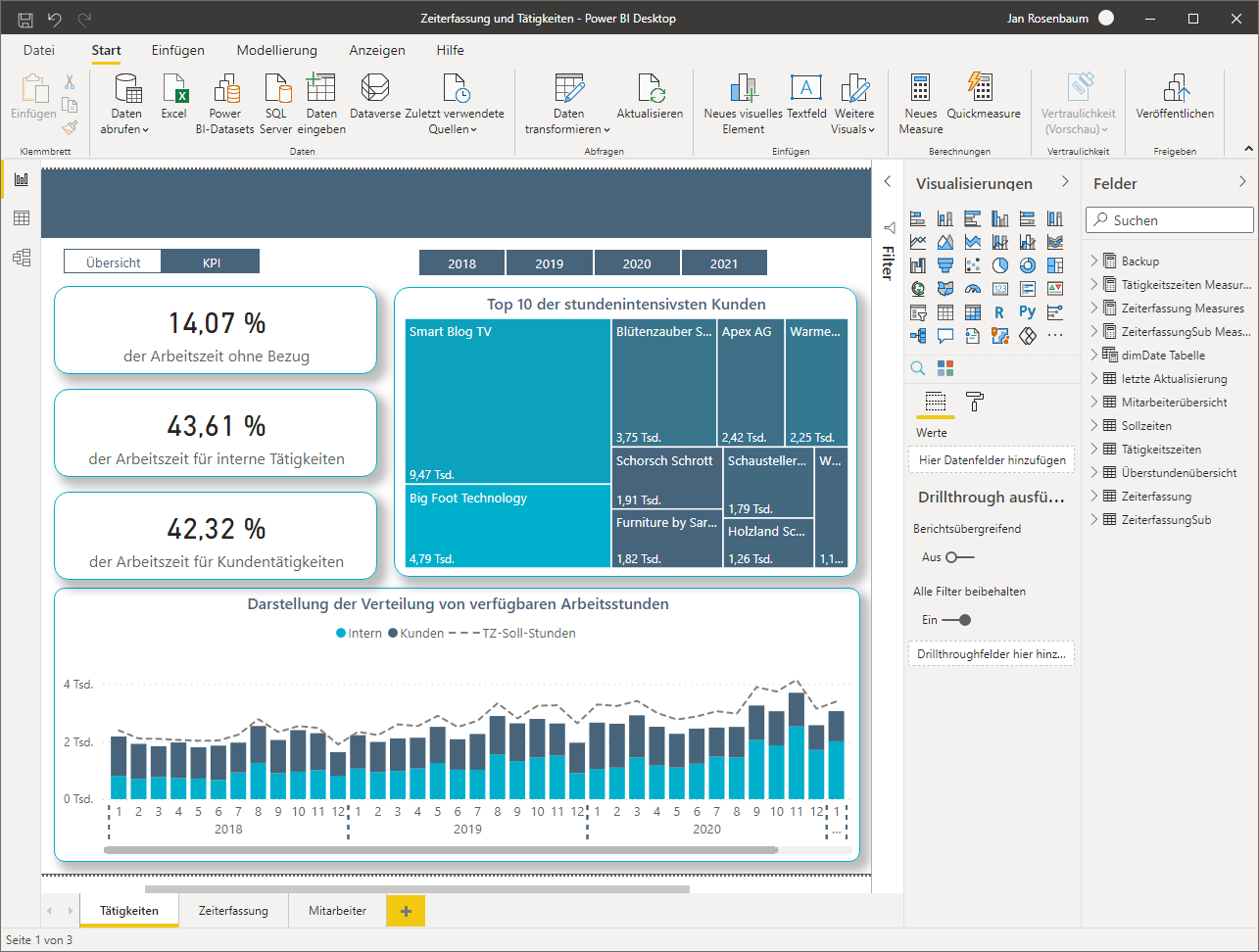
Power BI Desktop is the free version of Power BI, which allows you to analyze and model data from various sources and visualize it in interactive reports. As part of the Microsoft Power Platform, Power BI Desktop forms the basis for creating professional reports. 📈
Import and prepare Data with Power BI Desktop and transform it into Structured Models
Power BI Desktop allows you to consolidate data from various local and cloud-based sources such as Excel, SharePoint (Microsoft 365) or Dynamics 365 (e.g., Business Central) into a central model. After preparation by Power Query, relationships between tables can be defined, key figures created, and data visualized in interactive dashboards.
Key Features of Power BI Desktop
- Connect and query data sources (via Power Query)
- Create cleaned data models with relationships
- Design interactive visualizations
- Evaluate reports locally or publish them via the Power BI Service

Power Query
Power Query is the integrated data query and transformation component in Power BI Desktop. It allows you to import, combine, and automatically prepare data from a wide variety of sources - without any programming effort. With the intuitive Power Query user interface, you can clean, transform, merge, and format data as desired.
Typical use cases include:
- Removing or renaming columns and duplicates
- Combining multiple tables or files (e.g., from folders or Excel sheets)
- Converting text, data types, or dates
- Building reusable queries that automatically update when new data is added

Power BI Desktop: Free, User-friendly, and with Basic Features
Power BI Desktop is available as free software and offers a user-friendly interface based on familiar Microsoft solutions such as Excel. You don’t need in-depth programming knowledge to import data from various sources, prepare it, and convert it into interactive reports. With Power BI Desktop, you can perform practical analyses and effectively build basic BI skills.
The Advantages of Power BI Desktop at a Glance
- Available free of charge
- Intuitive user interface
- Powerful data modeling
- Integration into Microsoft environment (Excel, Azure)
- Scalable from individual users to large corporations
Free, Pro, Premium per User, and Microsoft Fabric: the Different Licenses
There are several licenses for Power BI, each with a different range of features. The free version is ideal for getting started with data analysis. The Pro license, on the other hand, is usually suitable when individual users or teams need to work together on data reports. To find out which license is best for your company, you can ask yourself a few basic questions:
The 4 Types of Licenses for Power BI: Which License best
suits your Company?
suits your
Power BI Desktop: Ideal for getting started with Data Analysis
Power BI Desktop is the ideal introduction to the world of business intelligence. The free version already offers powerful features for data preparation, modeling, and visualization. This makes it very well suited for individual users or initial BI projects in companies.
However, as soon as collaboration, central publishing, or company-wide use is required, Power BI Desktop reaches its limits. If you want to share reports, analyze them together, and scale BI strategically, you should consider the advanced capabilities of Power BI Pro at an early stage and purchase a paid license or take out a paid subscription. We would be happy to advise you on selecting the right license.